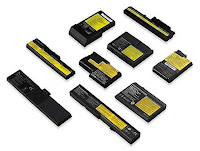
Laptop battery replacement is something that you need to consider carefully, as you are limited to options which are compatible with your computer. You can’t simply go out and buy a generic type of battery which fits almost any laptop. There is no such thing. Batteries for laptop computers are made for specific models, and there are very few cases where one battery design will be compatible with multiple machines. Because of this, you will need to do your research carefully, otherwise you are simply going to be wasting your time and money.
Laptop battery repair is even more complicated, since batteries can’t really be repaired. If you are hoping for laptop battery repair, then you will probably have to get a new one instead. However, new batteries for laptops are not particularly expensive, and if you find the right online store which has the goods you need, then you can get ones sent out to you quickly. There are plenty of manufacturers available, and there are some compatible models made by third party companies specifically for certain machines. These can be considerably cheaper than buying batteries manufactured by the same manufacturer as your computer itself.
To start with, the very first thing you will need to know is the make and model of your laptop. You will
Laptop battery repair is even more complicated, since batteries can’t really be repaired. If you are hoping for laptop battery repair, then you will probably have to get a new one instead. However, new batteries for laptops are not particularly expensive, and if you find the right online store which has the goods you need, then you can get ones sent out to you quickly. There are plenty of manufacturers available, and there are some compatible models made by third party companies specifically for certain machines. These can be considerably cheaper than buying batteries manufactured by the same manufacturer as your computer itself.
To start with, the very first thing you will need to know is the make and model of your laptop. You will
probably know this by heart, but if you do not, try to find out by looking at the labels on the back of the computer, or if they have been taken off, try to see if there is any indicator as to the laptop’s model on the startup screen when you switch on your computer. Alternatively, you may want to look through your past invoices or receipts to find out the laptop brand and model. If you don’t have any details, then you can send your computer into a service centre and they can do the job for you in no time.
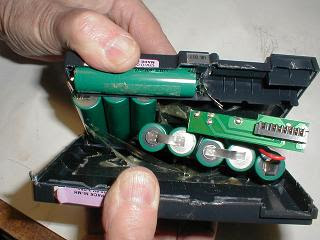
Once you have figured out which batteries are going to be compatible with your machine, you may still find that you’ve got some choice. There may be a choice of batteries available for you machine, and they will have their advantages and disadvantages. For example, the older nickel cadmium batteries, which are no longer very common, do not hold a great deal of power, whereas the new lithium ion batteries tend to have a higher charge capacity. These batteries are also lighter and they last longer due to the lower risk of charging problems.
Finding the laptop battery replacement that lasts the longer, while one of the most important factors, is
Once you have figured out which batteries are going to be compatible with your machine, you may still find that you’ve got some choice. There may be a choice of batteries available for you machine, and they will have their advantages and disadvantages. For example, the older nickel cadmium batteries, which are no longer very common, do not hold a great deal of power, whereas the new lithium ion batteries tend to have a higher charge capacity. These batteries are also lighter and they last longer due to the lower risk of charging problems.
Finding the laptop battery replacement that lasts the longer, while one of the most important factors, is
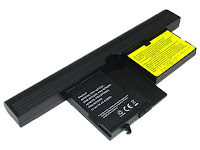
certainly not the only one. You will also want to find a battery that has a long lifespan and has as many full charges in it as possible. Make sure you get the latest technology, but, it cannot be stressed enough, to find something that is fully compatible with your computer. Once you get a new battery, it is very easy to replace. Normally, the old battery just slides out and you can put the new one in.
Location:
Innovative IT
80 Willow Walk, The Willows London
London, United Kingdom, SE1 5SY
020 7237 6805