Monday, July 28, 2014

Dell Latitude E6220 Specs

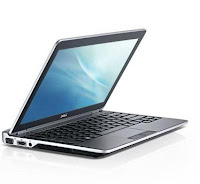
Dell Latitude E6220
Dell Latitude E6220 offers ultramobility with its sleek and lightweight 12.5-inch HD LED display. This laptop uses Intel HD Graphics 3000. E6220 provides go-anywhere productivity, confident security and efficient manageability in a durable design. Dell Latitude E6220 has a choice of Intel Core i7-2620M, i5-2540M, or i5-2520M processor. The memory supports up to 8 GB DDR3. For storage it offers up to 256 GB Solid State hard drive, up to 320 GB 7200 rpm hard drive, and up to 250 GB 5400 rpm hard drive. The Dell Fast Response Free-Fall Sensor and StrikeZone™ protect data from unexpected mishaps. This laptop computer has Mobile Intel® QM67 Express Chipset, an optical drive, Gigabit ethernet LAN, Dell Wireless 375 Bluetooth 3.0, a VGA port, an HDMI port, three USB 2.0 ports, card reader, and 34mm express card slot.

Dell Latitude E6220 Specs

Display
Diagonal Size : 12.5”
Resolution : 1366 x 768 (HD)
Anti-Glare LED display

Graphics Card
Intel® HD Graphics 3000

Processor
Type : Intel® Core™ i7-2620M dual-core processor
Speed : 2.7 GHz with Turbo Boost up to 3.4 GHz
Cache : 4 MB L3

Type : Intel® Core™ i5-2540M dual-core processor
Speed : 2.6 GHz with Turbo Boost up to 3.3 GHz
Cache : 3 MB L3

Type : Intel® Core™ i5-2520M dual-core processor
Speed : 2.5 GHz with Turbo Boost up to 3.2 GHz
Cache : 3 MB L3

Type : Intel® CoreTM i3-2310M dual-core processor
Speed : 2.1 GHz
Cache : 3 MB L3

Chipset
Mobile Intel® QM67 Express Chipset

Memory
Up to 8 GB DDR3 SDRAM at 1333 Mhz
2 DIMMS slots

Storage
Up to 256 GB SSD
Up to 250 GB 5400 rpm hard drive
Up to 320 GB 7200 rpm hard drive

Optical Drive
DVD-ROM or DVD+/-RW via E-Modular Bay II

Communication
LAN : 10/100/1000 Gigabit Ethernet

WLAN & WiMAX :
Intel® Centrino® Advanced-N 6205
Intel® Centrino® Advanced -N + WiMAX 625013
Intel® Centrino® Ultimate-N 6300
Dell Wireless 1501 (802.11 b/g/n 1x1)
Dell Wireless 1530 (802.11 a/g/n 2x2)

Mobile Broadband & GPS options :
Dell Wireless™ 5630 Multi-mode HSPA-EVDO Mini Card (Gobi™ 3000) with A-GPS
Dell Wireless™ 5550 Single-mode HSPA Mini Card with A-GPS

Bluetooth : Dell Wireless 375 Bluetooth® 3.0

Inputs and Controls
Single Pointing Keyboard
Backlit keyboard (optional)
Multi-touch Touchpad

Audio
High Quality Speakers
Integrated Noise reducing array microphone
Stereo headphone/Microphone combo jack
Integrated HD video webcam and Dell Webcam Central software (optional)

Interface
3 x USB 2.0
1 x Network connector (RJ-45)
1 x Stereo headphone/microphone combo jack
1 x USB/eSATA combo
1 x HDMI
1 x Docking Connector
1 x VGA

Slots
Card Reader : yes
1 Full and 2 Half Mini Card Slots
34 mm Express Card
SmartCard Reader
Optional Contactless SmartCard Reader

Camera
Built-in webcam

Power
Battery :
3-cell Li-Ion 30 Wh with ExpressCharge™
6-cell Li-Ion 60 Wh with ExpressCharge™6
6-cell Li-Ion 58 Wh 3-year Warranty battery
9-cell Li-Ion 97 Wh Extended battery slice

AC Adapter :
65W or 90W AC Adapter
90W Auto / Air DC adapter (optional)

Security
Optional Fingerprint Reader
TPM 1.2

Dimensions and Weight
Width : 309 mm (12.2”)
Depth : 226 mm (8.9”)
Height : 24.7 mm (0.97”)
Weight : Starting at 1.44 kg (3.15 lbs)

Operating System
Genuine Windows® 7 Home Premium 32-bit
Genuine Windows® 7 Professional 64-bit
Genuine Windows® 7 Home Premium64-bit
Genuine Windows® 7 Professional 32-bit
Genuine Windows® 7 Ultimate 32-bit

Dell Latitude E6220


Dell Latitude E6220
Read More..

Sunday, July 27, 2014

Fujitsu Lifebook SH530 Specs

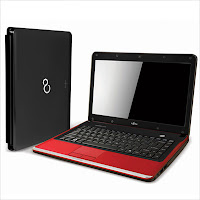
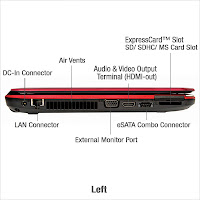
Fujitsu Lifebook SH530Fujitsu Lifebook SH530 laptop is powered by Intel Core i5/i3 or Pentium processor. This laptop has 13.3-inch HD display with SuperFine LED Backlight and 200-nit brightness. Lifebook SH530 is equipped with ATI Mobility Radeon HD 5430 with 512 MB VRAM, Intel HM55 Express Chipset, DDR3 1066 Mhz memory, SATA HDD with S.M.A.R.T support, 100/10 Mbps ethernet, 802.11 b/g/n, Bluetooth, Spill-resistant Keyboard, an HDMI port, a VGA port, two USB 2.0 ports, mic-in, headphone-out, card reader, 1.3 MP webcam, and 6-cell battery.
Fujitsu Lifebook SH530 Specs

Display
Diagonal Size : 13.3”
Resolution : 1366 x 768 (HD)
Technology : SuperFine LED backlight
Brightness : 200-nit

Graphics Card
ATI Mobility Radeon™ HD 5430 with 512 MB VRAM

Processor
Type : Intel® Core™ i5-480M dual-core processor
Speed : 2.66 GHz with Turbo Boost up to 2.93 GHz
Cache : 3 MB L3

Type : Intel® Core™ i3-380M dual-core processor
Speed : 2.53 GHz
Cache : 3 MB L3

Type : Intel® Pentium® P6200 dual-core processor
Speed : 2.13 GHz
Cache : 3 MB L3

Chipset
Intel® HM55 Express Chipset

Memory
2 GB / 4 GB DDR3 1066 Mhz
Max : 8 GB DDR3 1066 MHz dual channel

Storage
SATA-150 5400 rpm HDD, S.M.A.R.T support, Two Partitions - 50/50
320 GB
500 GB

Optical Drive
Dual Layer DVD Super Multi Write

Communication
LAN : 100/10 Mbps Ethernet
WLAN : 802.11 b/g/n
Bluetooth : Yes

Inputs and Controls
Spill-resistant Keyboard (19 mm key pitch, 84-key, 2.7 mm key stroke)
Intelligent Touch Pad with configurable vertical and horizontal scroll functions

Audio
Built-in Microphone
Dual Built-in Stereo Speakers Audio
Realtek ALC269 HD audio codec
HD Audio-out : Headphone-out
HD Audio-in : External Mic-in

Interface
1 x RJ45 (LAN)
1 x HDMI
2 x USB 2.0
1 x VGA (external display)
1 x e-SATA
1 x mic-in
1 x DC-in
1 x headphone-out


Slots
Card Reader : SD/SDHC/MS
ExpressCard™/34

Camera
1.3 MP webcam

Power
Battery : 6-cell
AC Adapter : Input AC 100 - 240V, Output DC 19V 80W
Battery Life : up to 4.3 hour

Security
BIOS Lock
Hard Disk Lock
Anti-theft Lock Slot

Dimensions and Weight
Width : 325 mm
Depth : 234 mm
Height : 26.8 - 32.24 mm
Weight : 1.99 kg

Operating System
Genuine Windows® 7 Home Premium 64-bit
Genuine Windows® 7 Home Basic 64-bit

Software
CyberLink PowerDVD™
Roxio Easy Media Creator
CyberLink YouCam™
Adobe Acrobat Reader
Fujitsu Power Saving Utility
Symantec Internet Security 60 days trial
Fujitsu UpdateNavi
Sun Microsystems Java Runtime
Fujitsu Display Manager
Fujitsu Hardware Diagnostic Tool
Windows Live Essentials including Windows Live Messenger, Windows Photo Gallery, Windows Live Mail, Windows Live Call, Windows Live Writer

Color
Anodized Black
Anodized Ruby Red

Fujitsu Lifebook SH530


Fujitsu Lifebook SH530Fujitsu Lifebook SH530Fujitsu Lifebook SH530Fujitsu Lifebook SH530
Read More..

Dissecting A Smart Battery – Part 1

By Dan Hagopian

Smart Batteries – they are used in PDAs, MP3s, MP4s, Laptops, Cell Phones, Smartphones, DVD players, and other electronic devices. When we buy new batteries we want them to work. We really don’t care how they work just as long as the do. But since PDA Batteries are a unique interest for me and since pda batteries are smart batteries I’m going to dig a little deeper to discover what lies within PDA batteries. So follow along as I disect a pda battery to learn what it is made of!

Contained within a smart battery is specialized hardware. Hardware that has a specific purpose: to deliver calculated and on demand current as well as predicted information.

This specialized hardware includes:

1. the connector
2. the fuse
3. the charge and discharge FETs
4. the cell pack
5. the sense resistor (RSENSE)
6. the primary and secondary protection ICs
7. the fuel-gauge IC
8. the thermistor
9. the pc board
10. the EEPROM
11. the SMBus

But what are each of these components and what do they do? Let’s find out?

The connector is a device that joins electric circuits together. Most battery packs require more than one connector. The main battery connector is both the mechanical and electrical part that interfaces the battery to the PDA or other electronic device. If you have ever installed a battery in your PDA then you probably have plugged your battery in by plugging/snapping in the main battery connector to the device’s PC board. Features that have to be considered when selecting a connector of a particular battery is operating temperature (range/limits) since high capacity batteries discharge excessive heat – having a connector that can withstand such temperature extremes will prevent a short circuit.

Connectors also have to proper pin assignments so that current and performance capacity can be met and short-circuit thresholds are predetermined. Pin orientation within the connector has to be designed in order to fit the device. If it doesn’t well you won’t be able to connect the battery to the PDA or other electronic device. Finally the connectors has to be handle time-varying current therefore the ratio of the phasor voltage across the element to the phasor current through the element (otherwise known as impedance) has to be preset or else expect connector to not function in the way it was supposed to!

In the next article of this series I will cover the smart battery’s fuse, charge and discharge FETs , the cell pack, and the sense resistor (RSENSE). The article after the next will cover the primary and secondary protection ICs, the fuel-gauge IC, the thermistor, the pc board, the EEPROM, and the SMBus.

© Dan Hagopian
You have permission to publish this article electronically or in print, free of charge, as long as these bylines are included with link. Dan Hagopian of http://www.batteryship.com is a known electronics author that specializes in portable power gadgets. His work can be found on the BatteryShip blog at http://www.batteryeducation.com He frequently writes about pda batteries, ipod batteries, general battery technology for our mobile world, new fuel cell technology and interesting power related inventions. For further information please visit http://www.batteryship.com where you can also find PDA battery replacement kits, smartphone batteries, twoway radio batteries, barcode scanner batteries, camera batteries, and camcorder batteries.

Article Source: http://EzineArticles.com/?expert=Dan_Hagopian
Read More..

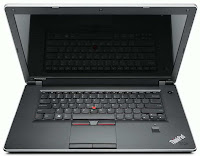
Lenovo ThinkPad EDGE 15 Specifications

Lenovo ThinkPad EDGE 15" Specifications

Display
Diagonal Size : 15.6"
Max Resolution : HD (1366 x 768), 16:9
Technology : LED backlight

Graphics Card
Intel® Integrated
AMD™ ATI® Mobility Radeon® HD 5145 (512MB) Discrete

Processor
Type : Intel® Core™ i5-430M
Speed : 2.26 GHz with turbo boost up to 2.53 GHz
Cache : 3 MB L3

Type : Intel® Core™ i3-350M
Speed : 2.26 GHz
Cache : 3 MB L3

Type : Intel® Core™ i3-330M
Speed : 2.13 GHz
Cache : 3 MB L3

Type : Intel® Celeron® P4500
Speed : 1.87 GHz
Cache : 2 MB L3

Chipset
Mobile Intel® HM55 Express Chipset

Memory
DDR3 1066MHz
Total slots : 2
Max : 4GB (2 x 2GB)

Hard Drive
250GB 5400rpm; 7200rpm
320GB 5400rpm; 7200rpm

Optical Drive
External (optional)

Communication
LAN : Gigabit Ethernet

WLAN & WiMAX :
Realtek® 802.11bgn
Intel® 802.11n (1x2)
Intel® 802.11n + WiMax (2x2)

WWAN : Qualcomm Gobi™ 2000 with GPS (optional)

Input
6-row keyboard
Contemporary designed keyboard
Spill-resistant keyboard
UltraNav™ 2 button Touchpad and Trackpoint®

Audio
HD Audio
Stereo Speakers (2 x 1.5W)
Built-in digital microphone

Interface
1 x VGA out
1 x HDMI
1 x Gigabit Ethernet
1 x Mic/Speaker combo jack
3 x USB 2.0 (1 powered)
1 x USB / eSata Combo

Slots
Card Reader : 7-in-1 card reader (MMC, SD, MS, MS-Pro, xD, SDHC)
34mm ExpressCard

Camera
2.0MP low light sensitive

Power
Battery :
4-cell 2.2Ah
6-cell 2.2Ah

Security
Fingerprint Reader

Operating System
Genuine Windows® 7 Home Basic 32-bit
Genuine Windows® 7 Home Premium 32-bit
Genuine Windows® 7 Home Premium 64-bit
Genuine Windows® 7 Professional 32-bit
Genuine Windows® 7 Professional 64-bit

Dimensions and Weight
Width : 380 mm
Depth : 247 mm
Height : 33.8 - 39.5 mm
Weight : 2.41 kg (5.32 lbs) (with 4-cell battery)

Software
Norton® Internet Security
Adobe® Acrobat® Reader
Adobe® Flash® Player
Microsoft® Office 2007 Ready
Microsoft® AutoCollage
Microsoft® Windows Live™ Essentials
Skype™ for Business

Available Color
Midnight Black – Gloss
Midnight Black – Smooth
Heatwave Red – Gloss

Lenovo ThinkPad EDGE 15"


Lenovo ThinkPad EDGE 15
Read More..

Information on Used Laptops

Used laptops are those that have been used by a consumer for a length of time and then they are resold for a number of reasons. Used laptops offer the potential savings of hundreds of dollars over a new laptop. Used laptops are a cheaper alternative to buying new, and are a great investment for a laptop capable of performing many tasks. Used laptops are just like used cars you need to check them out and be sure of what you are purchasing first. Used laptops are for the most part are a good value for the money.

Buying
Buying from eBay, smaller used laptop websites and other shops or the classifieds can be successful; you just need to know what to look for. Buying a used laptop allows you to pick up technology which is still in use today although it may not have the most recent operating system. Buying a refurbished laptop doesnt mean youre stuck with an outdated machine, as most of the refurbished units will be updated with some of the most current technologies today. A refurbished laptop is an excellent choice if you are not comfortable with buying a used laptop plus the do come with a warranty.

Price
A number of certified dealers trade in eBay, Amazon and Yahoo stores, offering very tempting prices for used laptops. Regardless of the brand, medium priced used laptops in the range of $500.00 to $650.00 are considered good money savers for those who do not require using the fancier laptops. You can for instance get a laptop without wireless capabilities at a better price, and you can add a wireless card to your laptop and save additional money. You should be considering used laptop or refurbished laptop which can get you most if not all the features you want, without paying full price. The brands named laptops tend to have higher prices for the same features as some of the less popular brands.

Used laptops are perfect for students doing homework, a professional that only needs to operate a few programs, or for someone who just wants to access the internet without the bulk of a desktop. They are perfect for people wanting to use a mobile computer for only a couple of applications, but still want the mobility of a laptop. Used laptops are sold for a number of reasons one of the reasons might be due to purchase of a higher configuration laptop, or might be tired of using the laptop for some time and would just like to have a newer one. Used laptops are a viable option to own a laptop at if you are on a tight budget.

By: RR Smith

If you are looking for used laptops or refurbished laptops follow this link we have access to all makes and models with some tremendous saving available to you!

Used Laptops at http://www.used-laptop-deals.com

Article Source: http://EzineArticles.com/?expert=Robert_R_Smith

Read More..

Saturday, July 26, 2014

How To Protect And Beautify Your Laptop

Getting a laptop can be a rather big investment and after sinking your money to invest in a laptop, I am sure you will want to protect it from scratches and other forms of damages.

Fortunately, there is a cheap and great way to invest in the protection of your new and old laptop:

By investing in a good laptop skin.

A laptop skin is a decorative piece of vinyl with an underlying adhesive layer. The adhesive layer ensures that the laptop skin stays fastened onto the laptop cover. A good adhesive layer will usually allow for easy and clean removal of the laptop skin from the surface of your laptop.

In general, laptop skins have good scratch resistance qualities making them ideal for protecting your laptop from fresh scratches. They come in different finishes, with lamination and varnish being the most common finishes.

Also, because of the injection of certain chemicals, some high quality laptop skins can even withstand extreme heat and cold, radiation and chemical corrosion. They are even resistant to tear, water and sunlight-fade.

Good quality laptop skins typically employ the latest in high resolution image technology to render photo-realistic image quality and exceptional color density, therefore you can not only protect your laptop but also beautify it. Imagine being the envy of all the on-lookers when you are using your chic-looking laptop with a great-looking laptop skin on your laptop.

Laptop skins sold in the market typically only cover the laptop cover while protective keyboard covers are sold separately. Also, do note that the lamination layer in some lousy quality laptop skins may come off within 6 months. Therefore, it always pays to invest in a good quality laptop skins such as garskins.

If you are looking to protect your laptop or give it a new look, www.GarSkins.com provides great laptop skins for both your laptop exterior and your internal keyboard for only one affordable price.

Donald Lim is the technology editor at Nu Edge Technologies. He is also an Internet Marketing Coach who owns countless web sites such as SecretsOfAchievers.com, InternetIdiot.com etc. You can subscribe to his free newsletters at http://www.donaldlim.com

Article Source: http://EzineArticles.com/?expert=Donald_Lim

Read More..

Asus K53SC Specifications

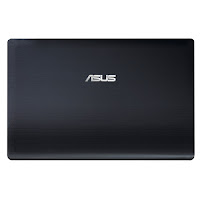
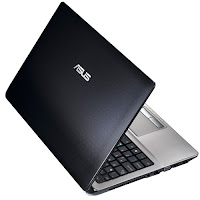
Asus K53SC
Asus K53SC is equipped with 15.6” LED Backlight display with HD resolution, NVIDIA GeForce GT 520MX with 1GB DDR3 VRAM, DDR3 1333 MHz SDRAM, one USB 3.0 port, two USB 2.0 ports, an HDMI port, 4-in-1 card reader, 0.3 MP webcam, and a six-cell battery.


Asus K53SC Specifications

Display
Diagonal Size : 15.6”
Resolution : 1366 x 768 (HD), 16:9
Technology : LED Backlight

Graphics Card
NVIDIA® GeForce® GT 520MX with 1GB DDR3 VRAM

Processor
Intel® Core™ i7 Processor
Intel® Core™ i5 Processor
Intel® Core™ i3 Processor
Intel® Pentium® Dual-Core Processor

Chipset
Intel® HM65 Express Chipset

Memory
DDR3 1333 MHz SDRAM
2 x SO-DIMM socket for expansion up to 8 G SDRAM

Storage
2.5" SATA
750GB 5400rpm
640GB 5400rpm/7200rpm
500GB 5400rpm/7200rpm
320GB 5400rpm

Optical Drive
Super-Multi DVD
Blue-ray reader

Communication
LAN : 10/100/1000 Base T
WLAN : Integrated 802.11 b/g/n or 802.11 b/g
Bluetooth : Built-in Bluetooth™ V3.0 + HS

Audio
Built-in Speakers And Microphone
Altec Lansing® Speakers

Interface
1 x Microphone-in jack
1 x Headphone-out jack
1 x VGA port/Mini D-sub 15-pin for external monitor
1 x USB 3.0
2 x USB 2.0
1 x RJ45 LAN Jack for LAN insert
1 x HDMI

Slots
Card Reader : 4-in-1 card reader (SD, MS, MS Pro, MMC)

Camera
0.3 Mega Pixel Fixed web camera

Power
Battery : 6-cell 5200 mAh 56 Whrs

Adapter :
Output : 19 V DC, 4.74 A, 90 W
Input : 100 -240 V AC, 50/60 Hz universal

Dimensions and Weight
Width : 37.8 cm
Depth : 25.3 cm
Height : 2.83 - 3.49 cm
Weight : 2.60 kg (with 6-cell battery)

Operating System
Genuine Windows® 7 Ultimate
Genuine Windows® 7 Professional
Genuine Windows® 7 Home Premium
Genuine Windows® 7 Home Basic

Asus K53SC


Asus K53SCAsus K53SCAsus K53SCAsus K53SC
Read More..
 
Notebook Info - Powered By Blogger